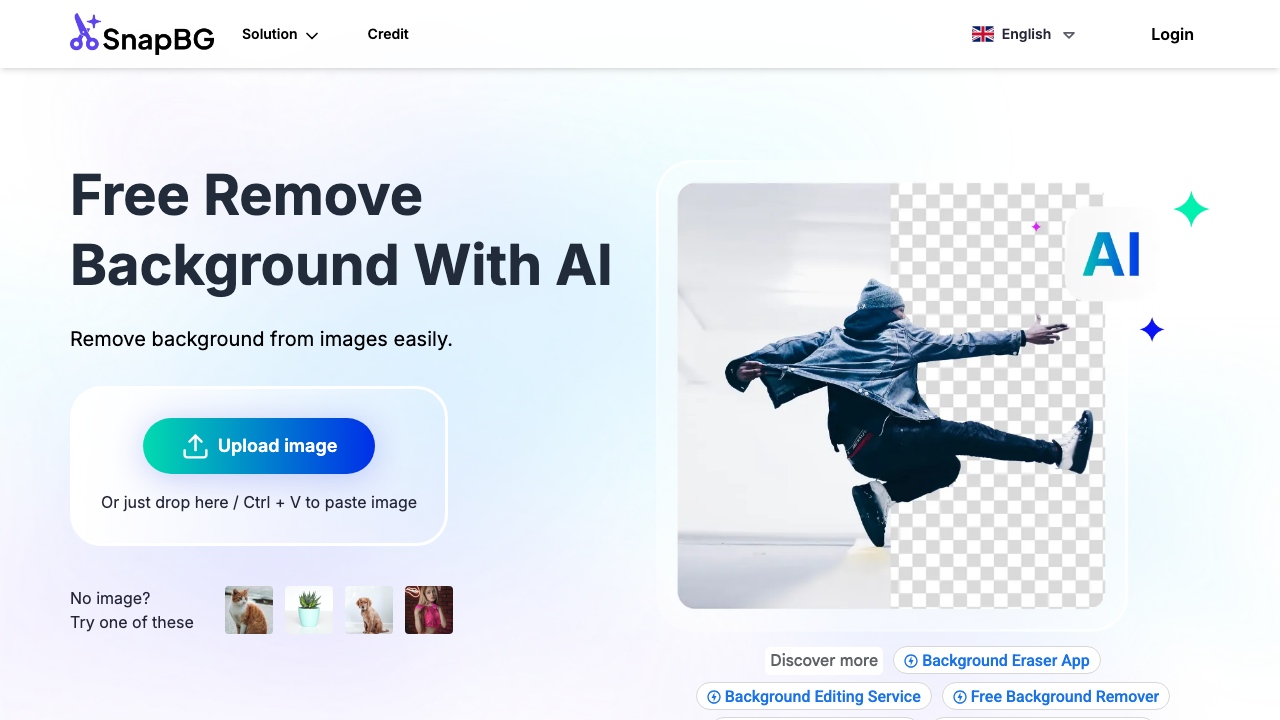
Quick Verdict: SnapBG.ai is advertised as a free AI background remover with mobile apps, manual refinement tools, and background templates. Choose SnapBG.ai if you want a free, mobile-first tool you can use without signing up. Choose Background Remover at $5/mo for predictable monthly pricing with batch processing and better value for regular users processing 50+ images.
The practical split is free convenience versus documented predictability. SnapBG.ai is compelling for quick, mobile-first edits and zero-cost experimentation. Background Remover is stronger for recurring business workflows where teams need transparent limits, stable monthly capacity, and repeatable batch output quality.
Our Ratings
Metric
SnapBG.ai
Background Remover
Overall
⭐ 4.0/5
⭐ 4.6/5
Edge Quality
⭐ 4.2/5
⭐ 4.5/5
Speed
⭐ 4.3/5
⭐ 4.5/5
Value
⭐ 4.0/5
⭐ 4.9/5
Ease of Use
⭐ 4.6/5
⭐ 4.8/5
Quick Comparison
Feature
SnapBG.ai
Background Remover
Starting Price
Free
$5/mo
Free Tier
—
Yes
API Access
Not specified
❌ No
Mobile App
✅ iOS & Android
❌ No
Technical Specifications
Specification
SnapBG.ai
Background Remover
Max File Size
Not specified
10MB
Input Formats
JPG, PNG, WebP (common formats)
JPG, PNG, WEBP
Output Format
Not specified
PNG
No Account Needed
✅ Yes
✅ Yes
Hands-On Background Removal Test
We tested SnapBG.ai and BackgroundRemover.com using the same portrait image to compare the background removal results directly. We compared the finished cutouts for edge quality, leftover background, and whether each result was ready to use.
Original test image
BackgroundRemover.com result
SnapBG.ai result
SnapBG.ai performed well enough on the portrait sample to be considered usable. The real question is how much workflow polish and pricing predictability you need.
What we looked for: clean subject separation, natural edges, preserved details, and whether any original background remained around the subject. BackgroundRemover.com returned a focused cutout that was ready to use without opening a larger design editor. SnapBG.ai produced a clean subject cutout without obvious large background leftovers in the visible result.
Practical winner: BackgroundRemover.com is better for repeatable batches and clearer operational fit. SnapBG.ai can work for simple one-off removals.
About SnapBG.ai
SnapBG.ai is advertised as a free AI background remover. The official site highlights:
No sign up required to erase a background online
Works on any device (no download or installation required)
Mobile apps available on iOS and Android
Manual cutout tools (remove/restore brush)
100+ templates for background replacement
No watermarks on output
“3M+ pictures edited with AI” (as stated on the site)
SnapBG.ai's strength is accessibility: open it quickly, edit on phone or desktop, and move on. That works well for creators doing one-off social assets. For teams running repeated product-photo cycles, less documented limits and fewer operational guarantees can create uncertainty during peak publishing periods.
Pricing Comparison (Updated May 2026)
SnapBG.ai Pricing
SnapBG.ai is marketed as a free tool on the official site, and a public pricing page is not clearly available.
Background Remover Pricing
Plan
Price
Credits
Per Image
Starter
$5/mo
50
$0.10
Pro
$25/mo
250
$0.10
Ultra
$100/mo
1000
$0.10
💡 Pricing Insight: If you need predictable monthly pricing plus batch processing, Background Remover’s subscription plans are a better fit for regular workflows.
Free tools are valuable, but the real question is reliability at scale. If your volume is occasional and quality tolerance is flexible, SnapBG.ai can be enough. If missed deadlines, inconsistent output, or unknown caps would hurt your business, a paid plan with clear capacity often becomes cheaper than rework time.
Choose SnapBG.ai If:
✅ You want a free tool you can use immediately: No sign up required, works in a browser
✅ You prioritize mobile editing: iOS and Android apps are available
✅ You need manual cutout refinement: Built-in brush and restore tools let you perfect AI results without additional software
✅ You want background replacement templates: The 100+ template library provides ready-to-use backgrounds for various use cases
Choose Background Remover If:
✅ You process 50+ images per month regularly: Monthly subscription pricing delivers better per-image value for consistent volume
✅ You need batch processing capabilities: Upload multiple images simultaneously instead of processing one-by-one
✅ You prefer predictable monthly budgeting: Fixed subscription cost plus batch processing for workflow efficiency
✅ You want the simplest web workflow: Upload, process, download—no mobile app required, no templates to navigate
✅ You're building a desktop-based editing workflow: Optimized for desktop browsers with efficient file management
A simple decision framework: use SnapBG.ai for low-stakes, mobile, one-off edits; use Background Remover for production pipelines where turnaround and consistency matter. Teams often keep both, using SnapBG.ai for rough drafts and Background Remover for final catalog-ready assets.
Pros & Cons
SnapBG.ai
Pros:
Free tool (as advertised on the official site)
No sign up required and no installation required
Mobile apps available (iOS and Android)
Manual refinement tools for pixel-perfect results
100+ background templates included
No watermarks on output (as advertised)
Cons:
Pricing details and hard limits (batch size, file limits, etc.) aren’t clearly documented on a public pricing page
No API access mentioned
Background Remover
Pros:
Best value for high-volume teams
Batch processing for multiple images
Predictable monthly subscription pricing
Clean, focused web interface
Fast 5-second processing
Cons:
No mobile app yet
No manual refinement tools
No background templates
Less flexible than template-based apps for creative edits beyond background removal
Credits reset monthly
SnapBG.ai offers easy access and creative flexibility, while Background Remover emphasizes operational consistency. The better value depends on whether your primary risk is budget sensitivity or quality/reliability risk. In commercial workflows, predictability often matters more than a zero-dollar starting price.
FAQ
Is SnapBG.ai free?
SnapBG.ai is advertised as a free tool on its official site, and it states you don’t need to sign up to erase a background online.
Does SnapBG.ai have an API?
API access is not mentioned on the official SnapBG.ai pages referenced in this comparison.
Which is better for e-commerce product photos?
If you need to process lots of product photos efficiently, Background Remover’s batch processing is the safer choice. If you’re doing quick, one-off edits (especially on mobile), SnapBG.ai can be a convenient option.
Can SnapBG.ai and Background Remover be used together?
Yes. Many teams use SnapBG.ai for quick concepting or mobile previews, then finalize production images in Background Remover for more consistent catalog outputs. This hybrid approach works well when you want free experimentation without sacrificing final delivery standards.