#autophoto ai vs background remover#autophoto ai review#ecommerce image automation
Quick Verdict: Autophoto AI positions itself as an AI-powered photo editing platform for ecommerce with bulk workflows. Background Remover is a streamlined background removal tool for individuals and small teams who want quick, high-quality results without complex setup. Choose Autophoto AI if you’re evaluating ecommerce-focused automation. Choose Background Remover if you want simple, fast background removal at an affordable price point.
In real buying decisions, Autophoto AI and Background Remover target different maturity levels. Autophoto AI is better suited to teams building a heavier ecommerce automation stack. Background Remover is usually the faster path for small teams that need dependable removal results now, without implementation overhead or token planning.
Our Ratings
Metric
Autophoto AI
Background Remover
Overall
⭐ 4.2/5
⭐ 4.6/5
Edge Quality
⭐ 4.3/5
⭐ 4.5/5
Speed
⭐ 4.5/5
⭐ 4.5/5
Value
⭐ 3.5/5
⭐ 4.9/5
Ease of Use
⭐ 3.5/5
⭐ 4.8/5
Quick Comparison
Feature
Autophoto AI
Background Remover
Starting Price
Free
$5/mo
Free Tier
Yes
Yes
API Access
Not specified
❌ No
Mobile App
❌ No
❌ No
Technical Specifications
Spec
Autophoto AI
Background Remover
Max File Size
Not specified
10MB
Input Formats
Not specified
JPG, PNG, WEBP
Output Format
Not specified
PNG
No Account Needed
—
✅ Yes
Hands-On Background Removal Test
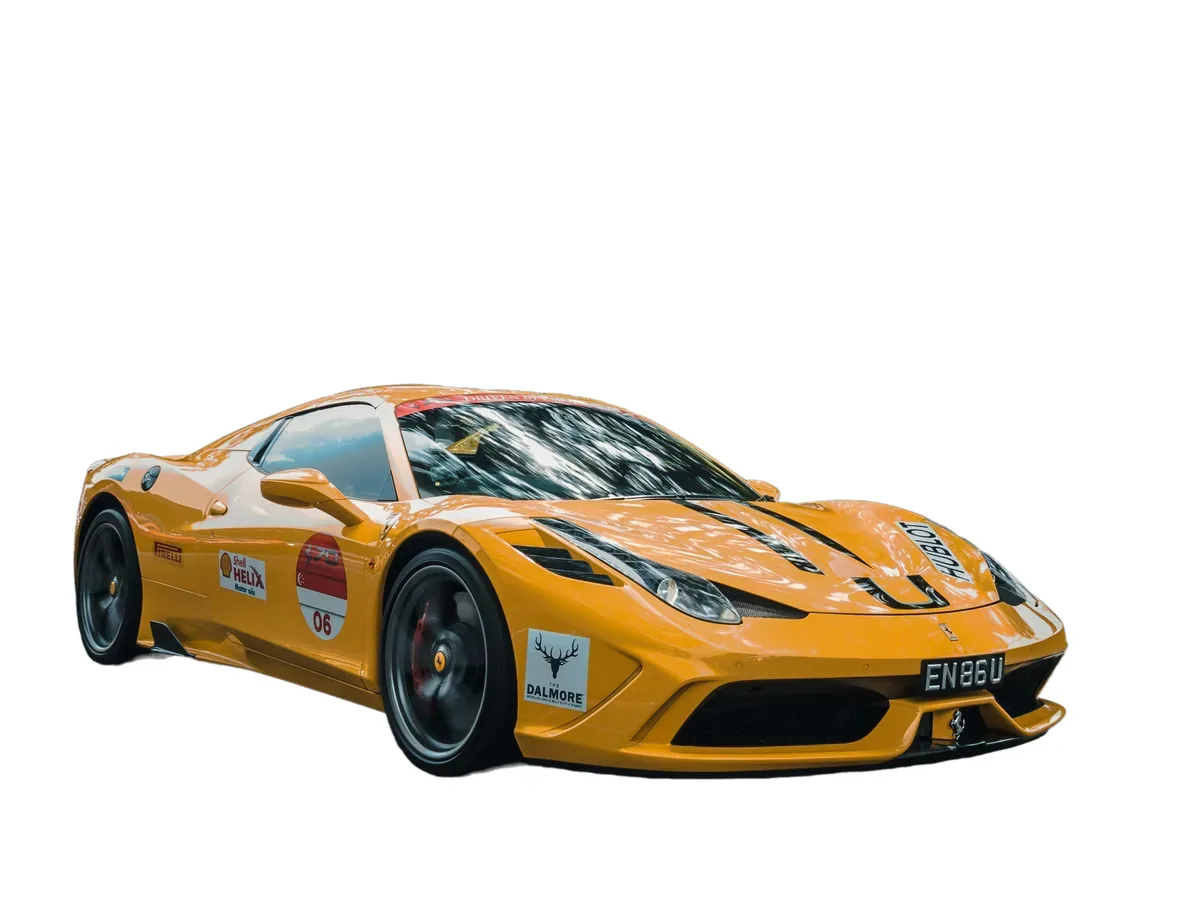
We tested AutoPhoto AI and BackgroundRemover.com using the same car image to compare the background removal results directly. We compared the finished cutouts for edge quality, leftover background, and whether each result was ready to use.
Original test image
BackgroundRemover.com result
AutoPhoto AI result
AutoPhoto AI was tested on the car image, where clean object boundaries are more important than creative editing features.
What we looked for: clean subject separation, natural edges, preserved details, and whether any original background remained around the subject. BackgroundRemover.com returned a focused cutout that was ready to use without opening a larger design editor. AutoPhoto AI produced a clean vehicle cutout and preserved the main body shape well.
Practical winner: BackgroundRemover.com is the better fit when background removal is the core task. AutoPhoto AI is worth considering for broader product-photo automation.
About Autophoto AI
Autophoto AI positions itself as an AI-powered photo editing platform built for ecommerce. Its site emphasizes automated product photo editing in bulk.
Autophoto AI's positioning is strongest when your organization already has structured product content operations and clear ownership across merchandising, photography, and automation. For lean teams, broader platform capability can become complexity tax if the immediate need is only high-quality background removal and batch throughput.
Pricing Comparison (Updated May 2026)
Autophoto AI Pricing (Token-Based)
Plan
Price
Tokens
Files per Batch
Team Members
Free
Free
200
-
1
Sampler
$35/mo
2,500
-
2
Starter
$109/mo
10,000
-
3
Solo Studio
$199/mo
25,000
-
5
Small Studio
$399/mo
60,000
-
7
Content House
$899/mo
150,000
-
20
BatchScale
$1499/mo
300,000
-
30
AutoFactory
$1999/mo
450,000
-
50
Autophoto AI’s pricing is plan-based. If you include detailed per-operation costs or feature limits in this comparison, make sure they’re backed by an official source link.
Background Remover Pricing
Plan
Price
Credits
Per Image
Starter
$5/mo
50
$0.10
Pro
$25/mo
250
$0.10
Ultra
$100/mo
1000
$0.10
💡 Key Insight: Autophoto AI is positioned for ecommerce automation and bulk workflows, while Background Remover offers straightforward per-image pricing starting at $5/mo for 50 images.
Token systems can be efficient at scale but require active monitoring. If your monthly demand is variable, token forecasting mistakes can create either overage pressure or unused capacity. Background Remover's plan model is simpler to forecast for teams that prioritize predictable spend and quick procurement decisions.
Choose Autophoto AI If:
✅ You’re evaluating an ecommerce-focused photo editing platform: Autophoto AI positions itself around ecommerce use cases
✅ You want bulk workflows: The product messaging emphasizes automated product photo editing in bulk
✅ You’re okay with a more complex tool: Compared to a single-purpose background remover
Choose Background Remover If:
✅ You're an individual or small business: Need reliable background removal without complex enterprise workflows
✅ You want simple, transparent pricing: $5/month-$100/month vs $35/mo-$899/mo token-based pricing
✅ You need quick results: Upload, remove background, download
✅ You process moderate volumes: 50-1,000 images monthly
✅ You value ease of use: Clean interface that works immediately without learning curve
A practical rule is to align tool complexity with team capacity. If you have technical bandwidth and multi-step image operations planned, Autophoto AI can be a strategic fit. If you need reliable outputs with minimal training and setup, Background Remover is typically the lower-risk operational choice.
Pros & Cons
Autophoto AI
Pros:
Ecommerce-focused positioning
Emphasis on bulk workflows and automation
Multiple paid plans on the official pricing page
Cons:
Complex token-based pricing requires planning
Steep learning curve with workflow builder
Minimum $35/mo for meaningful usage
Enterprise-focused—overkill for casual users
No mobile app
Background Remover
Pros:
Simple, affordable pricing starting at $5/mo
Intuitive interface with no learning curve
Fast 5-second processing
High-quality edge detection
Perfect for individuals and small teams
Batch processing available
Cons:
No API access
Autophoto AI provides platform breadth and automation ambition, while Background Remover delivers focused execution. The right answer depends on whether your bottleneck is advanced workflow orchestration or day-to-day content production speed for marketplaces, ads, and product pages.
FAQ
Is Autophoto AI free?
Autophoto AI lists multiple plans on its pricing page. Check their current pricing page for any free tier or trial availability.
What's the difference between Autophoto AI and simple background removal tools?
Autophoto AI positions itself as an ecommerce-focused photo editing platform designed for bulk workflows. Background Remover focuses on one core job—removing backgrounds quickly and affordably.
How many images can Autophoto AI process at once?
Autophoto AI is designed for bulk workflows. Exact batch limits depend on the plan and what’s documented in official sources.
Does Autophoto AI have an API?
API availability is not clearly documented on the public pricing pages referenced in this comparison.
Which one is better for a team publishing a few hundred SKUs each month?
For most teams at that stage, Background Remover is easier to operationalize because setup and pricing are straightforward. Autophoto AI becomes more attractive when image processing is part of a larger automation roadmap with dedicated owners.