Quick Verdict: Choose Adobe Express background remover if you need Creative Cloud integration, templates, mobile design tools, or video background removal. Choose Background Remover if you only need dedicated image background removal, transparent PNG exports, desktop batch processing, and lower entry pricing. Adobe Express is the broader design suite. Background Remover is the focused cutout workflow.
Best fit by need: Adobe Express is best when background removal is one step in a design workflow. Background Remover is best when background removal is the workflow.
Our Ratings
Metric
Adobe Express
Background Remover
Overall
⭐ 4/5
⭐ 4.6/5
Edge Quality
⭐ 4.2/5
⭐ 4.5/5
Speed
⭐ 4.3/5
⭐ 4.5/5
Value
⭐ 3.5/5
⭐ 4.9/5
Ease of Use
⭐ 4.6/5
⭐ 4.8/5
Quick Comparison
Feature
Adobe Express
Background Remover
Starting Price
$10.99/mo
$5/mo
Free Tier
Yes
Yes
API Access
❌ No
❌ No
Mobile App
✅ Yes
❌ No
Technical Specifications
Specification
Adobe Express
Background Remover
Max File Size
40MB (quick actions), 80MB (general)
10MB
Input Formats
JPG/JPEG, PNG, GIF, WEBP, SVG, PSD, AI
JPG, PNG, WEBP
Output Format
PNG, JPG, SVG, PDF, MP4 (video)
PNG
No Account Needed
—
✅ Yes
Hands-On Background Removal Test
We tested Adobe Express and BackgroundRemover.com using the same car image to compare the background removal results directly. We compared the finished cutouts for edge quality, leftover background, and whether each result was ready to use.
Original test image
BackgroundRemover.com result
Adobe Express result
Adobe Express was tested on the car image because vehicle edges make leftover background and shadow cleanup easy to spot. Its result was usable, but our notes from the broader test batch also flagged that some images were not fully removed.
What we looked for: clean subject separation, natural edges, preserved details, and whether any original background remained around the subject. BackgroundRemover.com returned a focused cutout that was ready to use without opening a larger design editor. Adobe Express produced a clean vehicle cutout in this sample, though the broader batch notes make it worth checking harder images before relying on it for production.
Practical winner: BackgroundRemover.com is the cleaner choice when the job is just reliable background removal and download. Adobe Express is useful if the image will continue into an Adobe Express design.
Additional test note: In the broader Adobe Express batch, some images were not fully removed, so harder product sets should be spot-checked before production use.
About Adobe Express
Adobe Express (formerly Adobe Spark) is Adobe's all-in-one content creation platform that includes the Adobe background remover as one of its many AI-powered Quick Actions. Launched as a simpler alternative to Photoshop, it's designed for creators who need professional results without the learning curve.
Key Features
Background Removal Quick Action - AI-powered removal available on web and mobile
Video Background Removal - Remove backgrounds from video content on paid Adobe Express plans
Creative Cloud Integration - Seamless access to Adobe Stock, Fonts, and Libraries
250 Generative AI Credits/mo - For Acrobat Express users, includes AI features beyond background removal
Mobile Apps - Full-featured iOS and Android apps
100,000+ Templates - Professional designs for social media, marketing, and more
Pricing Comparison (Updated July 2026)
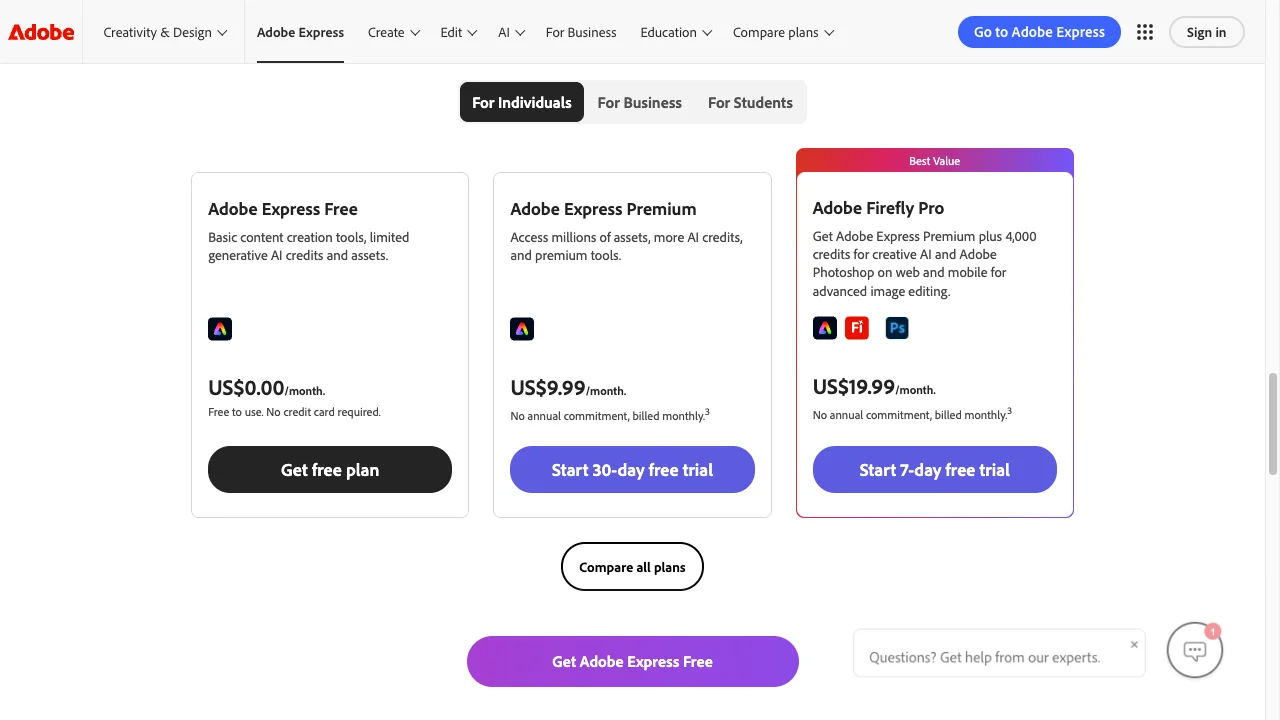
Adobe Express Pricing
Plan
Price
Credits
Free
Free
Limited features
Acrobat Express
$10.99/mo
250 generative credits/mo
With Creative Cloud
Included
Unlimited
Background Remover Pricing
Plan
Price
Credits
Per Image
Starter
$5/mo
50
$0.10
Pro
$25/mo
250
$0.10
Ultra
$100/mo
1000
$0.10
💡 Key Insight:
Entry price: Background Remover wins at $5/mo vs Acrobat Express at $10.99/mo
What's included: Adobe Express includes unlimited background removal plus a full design suite. Background Remover is focused solely on background removal.
Batch processing: Background Remover offers true batch upload and processing. Adobe Express appears to have limited batch capabilities.
Video support: Adobe Express offers video background removal. Background Remover doesn't.
Creative Cloud: Adobe Express is included with Creative Cloud subscriptions. Background Remover is standalone.
The trade-off: Adobe Express costs about 2.2x more but includes design tools and video. Background Remover is the value choice for dedicated image background removal.
Choose Adobe Express If:
✅ You're a Creative Cloud subscriber who edits on iPad/iPhone: Adobe Express is included free with your CC subscription, and the mobile apps sync seamlessly with Photoshop, Illustrator, and other Adobe desktop tools via Creative Cloud Libraries
✅ You need video background removal on mobile: Adobe Express's paid plan offers video background removal directly on iOS/Android—essential for content creators making TikToks, Reels, or YouTube Shorts on the go
✅ You create marketing content with Adobe Stock and Fonts: Access to 200M+ Adobe Stock images, 25K+ fonts, and 100K+ templates on mobile means you can create complete branded content without desktop software
✅ You want one-tap mobile editing with "Quick Actions": Adobe Express's Quick Actions (remove background, resize, convert format) are optimized for fast mobile workflows—tap, process, export without navigating complex menus
✅ You collaborate with teams using Adobe's ecosystem: Brand kits, shared libraries, and team permissions work across mobile and desktop, making Adobe Express ideal for agencies and marketing teams
Choose Background Remover If:
✅ You don't have or want a Creative Cloud subscription: At $5/mo vs Acrobat Express at $10.99/mo, Background Remover offers dedicated background removal at a fraction of Adobe's ecosystem cost
✅ You process product photos in batches of 50-250 images: Desktop drag-and-drop batch processing handles entire product catalogs while you work on other tasks—Adobe Express's mobile-first design limits batch capabilities
✅ You need maximum screen real estate for edge precision: A 27" desktop monitor reveals hair strand edges, jewelry details, and transparency issues invisible on mobile screens—critical for professional e-commerce and headshot work
✅ You want transparent credit-based pricing you can predict: Background Remover charges $0.10 per image with clear monthly credits vs Adobe's feature-gated Premium tier that bundles background removal with features you may not need
✅ You prefer a focused tool without Adobe's feature bloat: Background Remover opens, processes, and exports in seconds without the learning curve of Adobe's design templates, generative AI credits, and cross-app integrations
Pros & Cons
Adobe Express
Pros:
Included with Creative Cloud
Adobe ecosystem integration
Quick design tools
Mobile app available
Templates and assets
Cons:
Advanced features are bundled into a broader paid plan
Less precise than Photoshop
Limited batch processing capabilities
Overkill for just background removal
Background Remover
Pros:
Best value for high-volume teams
Clean, modern interface
Fast processing (5 seconds)
Reliable batch processing
Straightforward pricing
Cons:
No mobile app yet
No API access
Desktop-focused workflow
FAQ
Is Adobe Express background removal free?
You can try Adobe Express “Remove Background” for free (no credit card required). Acrobat Express ($10.99/month) includes Adobe Express Premium plus additional document and AI features, while Creative Cloud subscriptions include Adobe Express Premium as part of the broader Adobe suite.
Is Adobe Express better than Photoshop for background removal?
Adobe Express is simpler and faster, but Photoshop offers more precise control. For quick removals, Express is fine.
How does Adobe Express compare to Background Remover?
Adobe Express is a broader design suite with templates, Creative Cloud assets, mobile apps, and video features. Background Remover specializes in a focused browser workflow for transparent PNG cutouts, lower entry pricing, and batch processing.