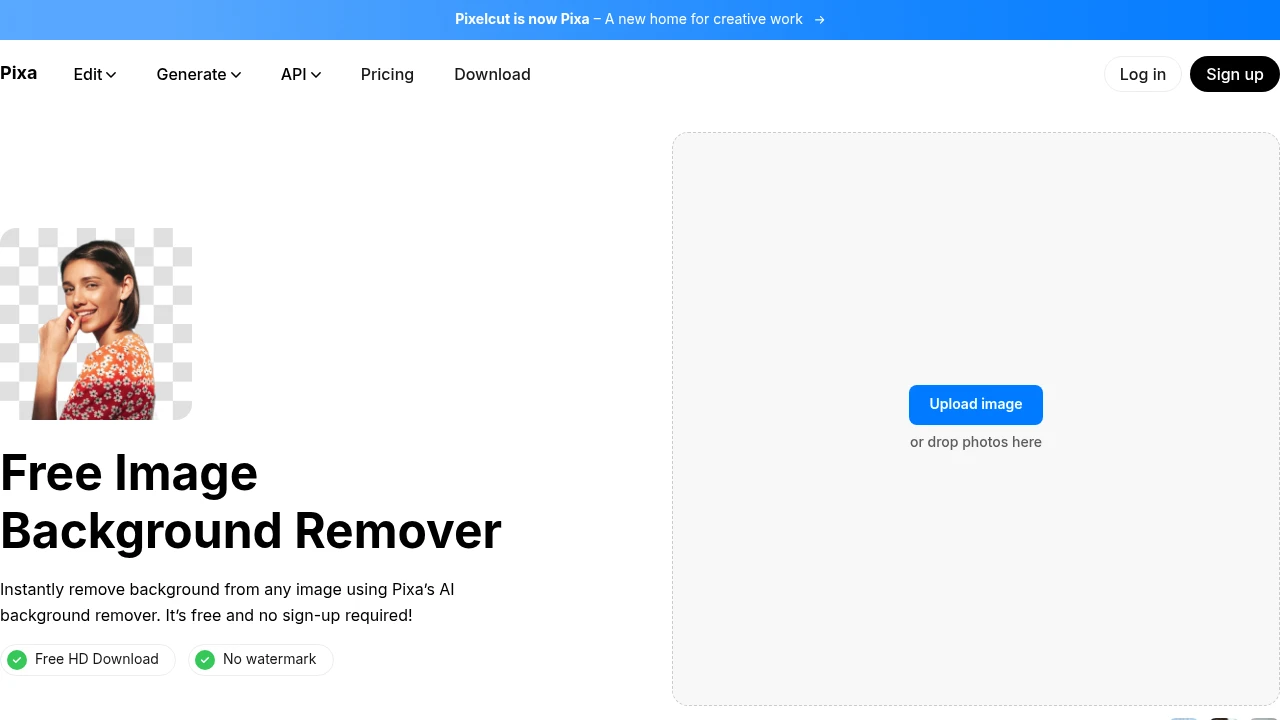
Pixa Background Remover (Pixelcut) vs Background Remover: 2026 Comparison
Compare Pixa Background Remover, formerly Pixelcut, with Background Remover for transparent PNG cutouts, pricing, product photos, mobile editing, and workflow fit.
Quick Verdict: Choose Pixa Background Remover, formerly Pixelcut, if you need an e-commerce creative suite with product photoshoots, mockups, mobile editing, batch workflows, and API access. Choose Background Remover if you mainly need a free background remover to try online, fast transparent PNG cutouts, predictable per-image costs, and a focused browser workflow. Pixelcut/Pixa is broader. Background Remover is simpler and usually better value for dedicated background removal.
Best fit by need: Pixa/Pixelcut is best for sellers creating full product campaigns. Background Remover is best for teams that already have product photos and need to remove image background quickly without opening a broader design suite.
Our Ratings
Metric
Pixelcut
Background Remover
Overall
⭐ 4.2/5
⭐ 4.6/5
Edge Quality
⭐ 4.1/5
⭐ 4.5/5
Speed
⭐ 4.4/5
⭐ 4.5/5
Value
⭐ 4.2/5
⭐ 4.9/5
Ease of Use
⭐ 4.6/5
⭐ 4.8/5
Quick Comparison
Feature
Pixelcut
Background Remover
Starting Price
$10/mo
$5/mo
Free Tier
Yes
Yes
API Access
✅ Yes
❌ No
Mobile App
✅ Yes
❌ No
Technical Specifications
Specification
Pixelcut
Background Remover
Max File Size
25MB
10MB
Input Formats
JPEG, PNG
JPG, PNG, WEBP
Output Format
PNG, JPEG
PNG
No Account Needed
—
✅ Yes
Note: Pixelcut API supports min 64×64px to max 6000×6000px for background removal. Upscaling has separate limits.
Hands-On Background Removal Test
We tested Pixelcut and BackgroundRemover.com using the same portrait image to compare the background removal results directly. We compared the finished cutouts for edge quality, leftover background, and whether each result was ready to use.
Original test image
BackgroundRemover.com result
Pixelcut result
Pixelcut handled the portrait cleanly and is built for sellers who want quick commerce-ready edits. The comparison is close on visible output, so workflow becomes the deciding factor.
What we looked for: clean subject separation, natural edges, preserved details, and whether any original background remained around the subject. BackgroundRemover.com returned a focused cutout that was ready to use without opening a larger design editor. Pixelcut produced a clean subject cutout suitable for marketplace or social product use.
Practical winner: BackgroundRemover.com is stronger for focused batch background removal with straightforward credits. Pixelcut is strong if you want its seller-focused editing flow.
About Pixelcut (now Pixa)
Pixelcut is now branded as Pixa, so searches for Pixa Background Remover, Pixelcut Background Remover, and background remover Pixa generally point to the same broader product family. The platform focuses on AI-powered editing for e-commerce sellers and content teams, with tools for background removal, AI product photoshoots, and mockup-style creative workflows.
Pixa offers web and mobile apps, plus a developer API for background removal and related image workflows. The API documentation also distinguishes API credits from app credits, which matters when teams use both products.
Key Features
E-commerce optimized workflows with product mockups and studio-quality AI backgrounds
Background removal with ultra-high quality for both images and video
AI Product Photoshoots - generate infinite product photos with just a prompt
Upscaling up to 16x resolution using models including Topaz
Batch processing for editing hundreds of files at once
API available for developer integration (background removal, upscale, generate background, virtual try-on)
Mobile apps for iOS and Android
Pricing Comparison (Updated July 2026)
Pixelcut Pricing
Plan
Price
Credits
Free
Free
Limited
Pro
$10/mo
600
Business
$30/mo
3600
Background Remover Pricing
Plan
Price
Credits
Per Image
Starter
$5/mo
50
$0.10
Pro
$25/mo
250
$0.10
Ultra
$100/mo
1000
$0.10
💡 Key Insight: Background Remover offers better value with plans starting at $5/mo for 50 images. Compare pricing carefully based on your monthly volume needs.
Choose Pixelcut If:
✅ You're an Amazon or Shopify seller who needs AI product photoshoots: Pixelcut generates infinite studio-quality product photos with AI—perfect for sellers who can't afford professional photography for every SKU
✅ You need product mockups for marketing materials: Place products on lifestyle backgrounds, in different settings, or on models without actual photo shoots
✅ You're a mobile-first seller who edits on iPhone or Android: Pixelcut/Pixa has native mobile apps, so you can capture and edit product photos on the go
✅ You need extreme upscaling (up to 16x): Pixelcut's Topaz integration handles massive enlargements for print or billboard advertising
✅ You're a developer building e-commerce tools: Pixelcut's API supports background removal, upscaling, virtual try-on, and AI background generation for integration into your platform
Choose Background Remover If:
✅ You want a lower entry point without sacrificing output quality: Get started at $5/mo for 50 images instead of committing to a higher monthly plan on day one.
✅ You care about clear per-image economics: Pricing is straightforward for self-serve tiers, with a lower Business per-image rate for higher-volume teams.
✅ You need fast transparent PNG cutouts in a browser workflow: Upload, remove, and download clean cutouts without configuring a broader creative suite.
✅ You run recurring production batches: The fixed 50/250/1000 image tiers make monthly planning simple for teams.
✅ You want a dedicated tool your team can execute quickly: Background Remover stays focused on consistent cutout workflows, so onboarding and day-to-day execution are simpler.
Pros & Cons
Pixelcut
Pros:
E-commerce focused features
Product mockups included
Good mobile app
600 credits with Pro
Batch processing
Cons:
Limited free tier
API credits are billed separately from app credits
Credit usage varies by endpoint and model
Edge quality average
Some features mobile-only
Background Remover
Pros:
Best value for high-volume teams
Clean, modern interface
Fast processing (5 seconds)
Reliable batch processing
Straightforward pricing
Cons:
No mobile app yet
No API access
Desktop-focused workflow
FAQ
Is Pixelcut free?
Pixelcut offers limited free access. Pro plans start at $10/month with 600 credits.
Is Pixelcut good for e-commerce?
Yes, Pixelcut is designed specifically for e-commerce with product mockups and batch processing features.
How does Pixelcut compare to Background Remover?
Pixelcut/Pixa offers a broader creative suite (for example, mockups and AI photoshoots), while Background Remover focuses on fast background cutouts, lower starting monthly cost, and simpler plan tiers.
Pixa Background Remover vs Pixelcut Background Remover: are they the same?
Yes. Pixa is Pixelcut's newer brand/product family, so people searching for Pixa Background Remover, Pixelcut Background Remover, or background remover Pixa are generally comparing the same broader creative suite. Choose Pixa/Pixelcut if you want product mockups, AI photoshoots, and mobile editing. Choose Background Remover if you mainly need focused transparent PNG cutouts in a simple browser workflow.