#claid.ai vs background remover#claid.ai review#image processing api
Quick Verdict: Claid.ai (by Let's Enhance) offers a powerful web interface and API for developers, with 500 credits/month starting at $15/mo. Choose Claid.ai if you need API access and process higher volumes. Choose Background Remover for a simpler web-based workflow at 50-250 images/month.
The core difference is technical leverage. Claid.ai is attractive when API automation is central to your roadmap and volume is high enough to justify integration work. Background Remover is often the better fit when teams need immediate output through a simple web interface without engineering dependency.
Our Ratings
Metric
Claid.ai
Background Remover
Overall
⭐ 3.9/5
⭐ 4.6/5
Edge Quality
⭐ 4/5
⭐ 4.5/5
Speed
⭐ 4.3/5
⭐ 4.5/5
Value
⭐ 3.8/5
⭐ 4.9/5
Ease of Use
⭐ 3.5/5
⭐ 4.8/5
Quick Comparison
Feature
Claid.ai
Background Remover
Starting Price
$15/mo
$5/mo
Free Tier
Yes
Yes
API Access
✅ Yes
❌ No
Mobile App
❌ No
❌ No
Technical Specifications
Specification
Claid.ai
Background Remover
Max File Size
Not specified
10MB
Input Formats
JPG, PNG, WEBP
JPG, PNG, WEBP
Output Format
PNG
PNG
No Account Needed
—
✅ Yes
Hands-On Background Removal Test
We tested Claid.ai and BackgroundRemover.com using the same portrait image to compare the background removal results directly. We compared the finished cutouts for edge quality, leftover background, and whether each result was ready to use.
Original test image
BackgroundRemover.com result
Claid.ai result
Claid.ai produced a strong portrait result, which fits its positioning around product image automation. The practical question is whether you need its broader AI image platform.
What we looked for: clean subject separation, natural edges, preserved details, and whether any original background remained around the subject. BackgroundRemover.com returned a focused cutout that was ready to use without opening a larger design editor. Claid.ai returned a clean portrait cutout with the subject separated clearly from the background.
Practical winner: BackgroundRemover.com is better for a simpler standalone remover. Claid.ai is attractive for teams using its broader automation stack.
About Claid.ai
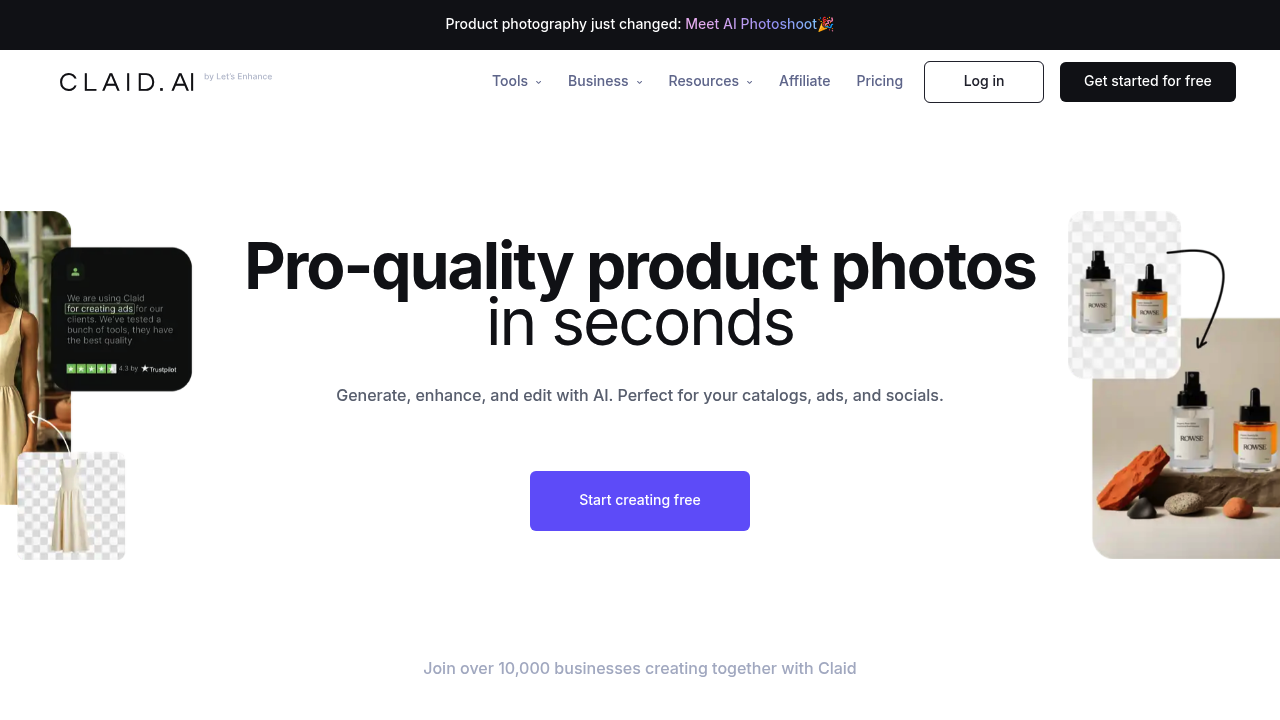
Claid.ai offers an API-first approach to image processing including background removal, designed for developers and businesses.
Key Features
API-first design
Good free tier
Batch processing
E-commerce optimized
Claid.ai is strongest in organizations where developers and non-technical users both need image tooling: API for pipelines, web UI for manual tasks. That dual model is powerful but requires process ownership. Smaller teams that do not have engineering bandwidth may move faster with a straightforward browser workflow.
Pricing Comparison (Updated July 2026)
Claid.ai Pricing
Plan
Price
Credits
Per Image
Free
Free
50
$0.00
Essential
$15/mo
500
$0.03
Pro
$49/mo
2000
$0.025
Background Remover Pricing
Plan
Price
Credits
Per Image
Starter
$5/mo
50
$0.10
Pro
$25/mo
250
$0.10
Ultra
$100/mo
1000
$0.10
💡 Key Insight:
Low volume (50-100 images): Background Remover wins with the lower entry price ($5/mo vs $15/mo)
Higher volume (500+ images): Claid.ai offers competitive nominal per-credit pricing ($0.03 per credit at 500 credits vs our $0.10 per included removal)
At 2,000 credits: Claid.ai Pro reaches $0.025 per credit, before accounting for which operations consume credits
Web UI: Claid.ai does have a web interface at claid.ai for easy access
Choose based on your volume needs and technical requirements.
At higher volume, API-centric pricing can outperform web tools, especially when automated pipelines eliminate manual labor. At lower or variable volume, the integration overhead and planning effort can outweigh per-image savings. The real break-even includes engineering time, not just credits and rates.
Choose Claid.ai If:
✅ You're building an e-commerce platform and need automated image processing pipelines: Claid.ai's API excels at automating product photo workflows—background removal, upscaling, and enhancement in a single API call chain.
✅ You process hundreds or thousands of operations monthly and need API economics: At $0.03 per credit (Essential) to $0.025 per credit (Pro), Claid.ai can offer lower nominal unit costs, but confirm the credits consumed by each operation.
✅ You want a hybrid approach with both web UI AND API access: Unlike API-only services like Imagga, Claid.ai provides both a visual web interface for one-off tasks and a developer API for automation.
✅ Your team includes both developers and non-technical users: Claid.ai's dual approach means marketers can use the web UI while developers automate bulk workflows—all on one subscription.
✅ You need image enhancement beyond background removal: Claid.ai's Let's Enhance heritage means superior AI upscaling (up to 16x), noise reduction, and color correction alongside background removal.
Choose Background Remover If:
✅ You want a web-based tool without any API complexity or developer involvement: No SDKs to install, no API keys to manage, no webhooks to configure—just open your browser and start removing backgrounds.
✅ You're a solopreneur, freelancer, or small team with 50-250 images monthly: At $5/mo-$25/mo, Background Remover offers the right capacity at the right price without paying for enterprise API features you'll never use.
✅ You need instant visual feedback and the ability to preview results before downloading: See exactly what you're getting in real-time, adjust as needed, and download when satisfied—something API responses can't provide.
✅ You prefer predictable monthly costs over calculating per-image API pricing: With Background Remover, you know exactly what you'll pay each month. No surprises from usage overages or credit expiration.
✅ You want to start using a tool in 30 seconds, not 30 minutes of integration work: Open the site, upload your images, download your results. That's the entire workflow—no technical setup required.
Use Claid.ai when image processing is part of a product system with repeatable automation needs. Use Background Remover when image processing is an operational task completed by marketing or catalog teams. Matching the tool to team capability usually matters more than small differences in nominal per-image cost.
Pros & Cons
Claid.ai
Pros:
API-first design
Good free tier
Batch processing
E-commerce optimized
Cons:
Technical setup needed
Developer-focused
Enterprise pricing
Steeper learning curve for non-technical users
Background Remover
Pros:
Best value for high-volume teams
Clean, modern interface
Fast processing (5 seconds)
Reliable batch processing
Straightforward pricing
Cons:
No mobile app yet
No API access
Desktop-focused workflow
Claid.ai reduces manual work potential through automation but increases technical responsibility. Background Remover minimizes setup and training but does not offer API extensibility. Choose based on whether your current bottleneck is engineering throughput or non-technical production speed.
FAQ
Is Claid.ai free?
Claid.ai offers 50 free credits. Paid plans start at $15/month.
Is Claid.ai for developers?
Primarily yes. Claid.ai is an API service best suited for developers and businesses.
What is the biggest hidden cost when choosing Claid.ai?
For many teams, the hidden cost is implementation and maintenance time: integration, monitoring, and failure handling. If you already have engineering capacity, that cost is manageable. If not, a web-first workflow can be faster to sustain.