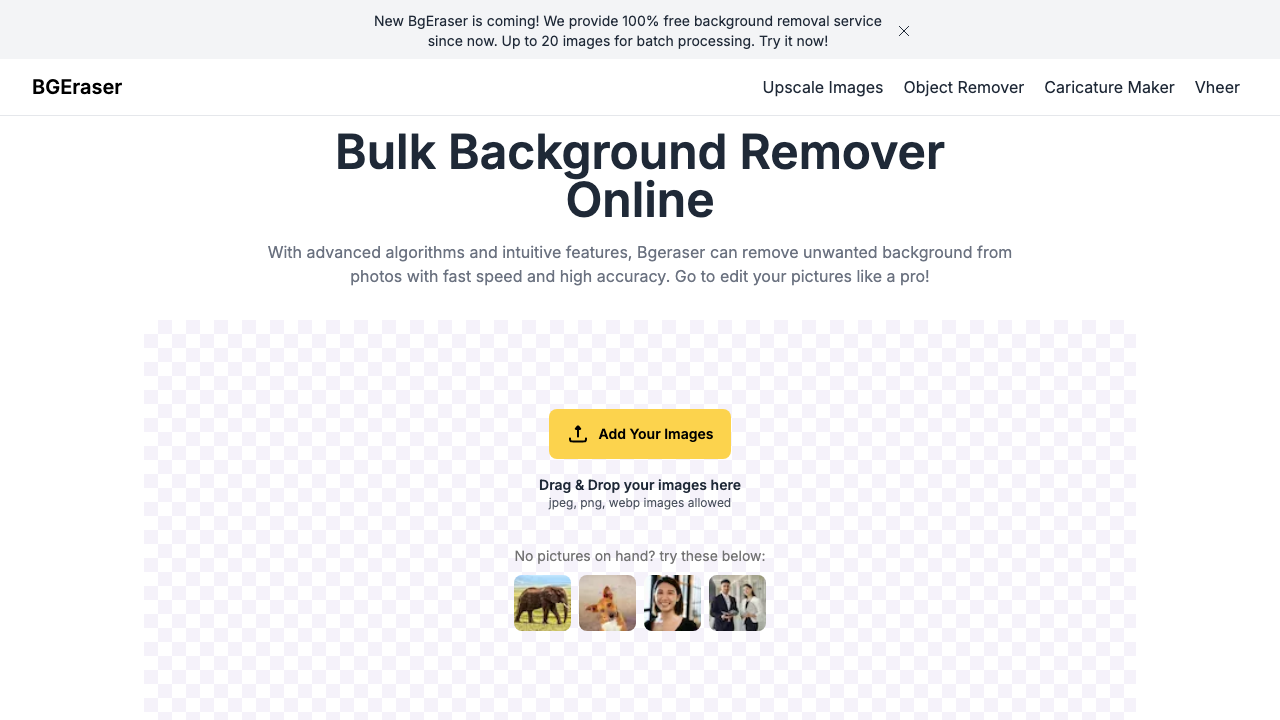
#bgeraser vs background remover#bgeraser review#free background eraser
Quick Verdict: BgEraser is now 100% free with unlimited background removal and batch processing up to 20 images—making it one of the best deals for users who don't need professional-grade edge quality. The trade-off is average edge detection, especially on complex subjects like hair or fur. Background Remover delivers superior edge quality at $5/mo for 50 images with a cleaner, more modern interface and better batch processing. Choose BgEraser if you want completely free background removal for simple product photos where edge quality isn't critical. Choose Background Remover if you need reliable professional quality on complex subjects or process high volumes with consistent results.
BgEraser is a strong zero-cost option for basic tasks, but free economics only help when output quality is good enough for your channel. If your photos are simple and stakes are low, it can be perfectly adequate. If visual consistency affects conversion, the quality gap can cost more than a paid subscription.
Our Ratings
Metric
BgEraser
Background Remover
Overall
⭐ 3.5/5
⭐ 4.6/5
Edge Quality
⭐ 3.4/5
⭐ 4.5/5
Speed
⭐ 4/5
⭐ 4.5/5
Value
⭐ 4.2/5
⭐ 4.9/5
Ease of Use
⭐ 4.6/5
⭐ 4.8/5
Quick Comparison
Feature
BgEraser
Background Remover
Starting Price
Free
$5/mo
Free Tier
Yes
Yes
API Access
❌ No
❌ No
Mobile App
❌ No
❌ No
Technical Specifications
Specification
BgEraser
Background Remover
Max File Size
Not specified
10MB
Input Formats
JPEG, PNG, WEBP
JPG, PNG, WEBP
Output Format
PNG
PNG
No Account Needed
—
✅ Yes
Hands-On Background Removal Test
We tested BGEraser and BackgroundRemover.com using the same portrait image to compare the background removal results directly. We compared the finished cutouts for edge quality, leftover background, and whether each result was ready to use.
Original test image
BackgroundRemover.com result
BGEraser result
BGEraser looked solid on the portrait sample. It behaves like a focused remover, so the decision comes down to consistency, interface, and pricing.
What we looked for: clean subject separation, natural edges, preserved details, and whether any original background remained around the subject. BackgroundRemover.com returned a focused cutout that was ready to use without opening a larger design editor. BGEraser produced a usable transparent portrait with the main subject separated from the background.
Practical winner: BackgroundRemover.com has the edge for a cleaner recurring workflow and predictable credit tiers. BGEraser is credible for simple removals.
About BgEraser
BgEraser is a bulk background removal tool founded in 2020, designed for quick and easy background removal from photos and images. The tool uses advanced AI algorithms to automatically detect subjects and remove backgrounds.
Key Features
100% Free: Unlimited background removal at no cost
Bulk Processing: Process up to 20 images at once
Simple Interface: No complicated menus or options
Watermark-Free: Downloads without watermarks
Multi-Language: Supports 8+ languages
BgEraser is best treated as an entry-level production tool: fast access, straightforward UI, and no payment barrier. It is less reliable for difficult edges and brand-sensitive catalog work where inconsistent cutouts create visible quality drift across listings, ads, and product detail pages.
Pricing Comparison (Updated May 2026)
BgEraser Pricing
BgEraser is 100% free with unlimited background removal and batch processing up to 20 images. No subscription or payment required.
Background Remover Pricing
Plan
Price
Credits
Per Image
Starter
$5/mo
50
$0.10
Pro
$25/mo
250
$0.10
Ultra
$100/mo
1000
$0.10
💡 Key Insight: Background Remover offers better value with plans starting at $5/mo for 50 images. Compare pricing carefully based on your monthly volume needs.
Free can still carry operational cost through rework. Teams often spend extra time manually fixing edges or rerunning outputs when quality is inconsistent. Paid tools become worthwhile when they reduce redo cycles, accelerate publishing, and lower the chance that weak imagery hurts click-through or trust.
Choose BgEraser If:
✅ You want completely free background removal with no subscription: BgEraser offers unlimited background removal at zero cost—perfect for hobbyists, students, or anyone who wants to avoid recurring payments
✅ You need batch processing without paying: Process up to 20 images at once for free, ideal for small e-commerce sellers or resellers who can't justify paid subscriptions yet
✅ You're testing background removal tools before committing: Try unlimited background removal with no signup required—evaluate if background removal works for your needs before investing in paid tools
✅ You process simple, high-contrast subjects occasionally: BgEraser handles solid objects on clean backgrounds well—less suited for hair, fur, or semi-transparent items but sufficient for basic product shots
✅ You prefer no-signup, instant access for quick tasks: When you just need a quick background removal without creating accounts or managing subscriptions, BgEraser delivers instant results
Choose Background Remover If:
✅ You're a professional who needs consistent edge quality: Background Remover's dedicated AI handles hair, fur, and complex subjects better than BgEraser's average-tier detection—critical for client-facing work
✅ You're an e-commerce seller with brand image requirements: When product photos represent your brand, the edge quality difference between Background Remover and BgEraser is visible and matters to customers
✅ You process 50-1,000 images monthly and need consistency: At $5/mo-$100/mo, Background Remover offers better quality-to-price ratio for professional volumes with reliable, repeatable results across large batches
✅ You want a modern, streamlined interface: Background Remover's focused design gets you to results faster with advanced batch processing features that handle up to 50 images simultaneously
✅ You need professional-grade results worth paying for: When free tools don't deliver the quality your business requires, Background Remover provides the best value among paid options
A practical approach is threshold-based: use BgEraser for internal drafts, low-stakes listings, and occasional needs; switch to Background Remover for hero images, high-volume batches, and any asset tied directly to paid traffic or brand presentation standards.
Pros & Cons
BgEraser
Pros:
Very affordable
Simple interface
No signup needed
Quick results
Cons:
Quality average
Batch cap of 20 images
Basic features
Less established
Background Remover
Pros:
Best value for high-volume teams
Clean, modern interface
Fast processing (5 seconds)
Reliable batch processing
Straightforward pricing
Cons:
No mobile app yet
No API access
Desktop-focused workflow
BgEraser minimizes upfront spend but can increase quality variance risk. Background Remover adds subscription cost but lowers revision pressure and improves consistency. For business workflows, consistency often compounds into better team velocity and more reliable creative output over time.
FAQ
Is BgEraser free?
Yes, BgEraser is now 100% free with unlimited background removal and batch processing up to 20 images. No subscription required.
Is BgEraser good?
BgEraser is basic but cheap. For better quality, Background Remover is recommended.
Is a free tool enough for professional storefront images?
Sometimes, but only when your subjects are simple and quality standards are forgiving. For polished storefronts, paid ads, or premium products, teams usually need more consistent edge quality than most free tools can guarantee across large batches.