eCommerce
White Background Product Photos for Amazon, Shopify, Etsy, eBay, and Google Shopping
Create white background product photos for Amazon, Shopify, Etsy, eBay, and Google Shopping with workflow, QA, and marketplace caveats.
 Gabe Garcia
6 min read
#white background product photos#product photography#marketplace images#amazon product images#ecommerce
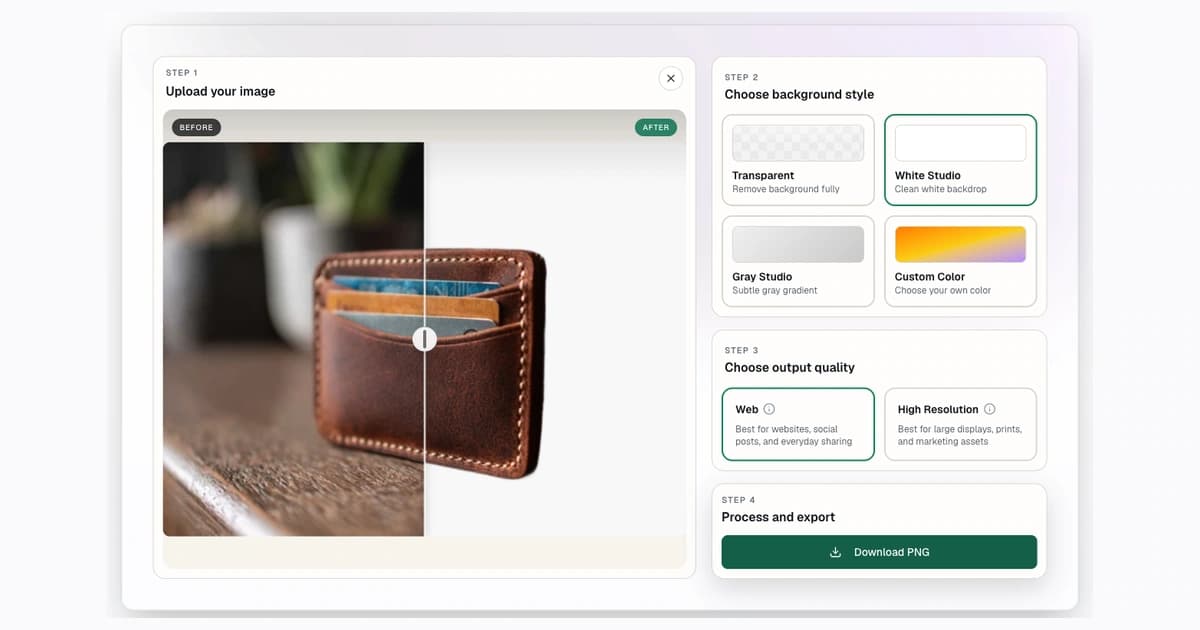
White background product photos are popular because they make products easy to compare, easy to crop, and easy to place in a clean ecommerce grid. They are also common in marketplace rules and recommendations, especially for main product images.
The safest workflow is to remove the original background, choose a white output, inspect the edge, then resize the image for the channel. You can do the removal step with Background Remover, then use the image converter if the final image needs exact pixel dimensions.
Why White Backgrounds Matter for Ecommerce Product Photos
White backgrounds reduce visual noise. They help shoppers focus on the product, not the room, table, wall, or random shelf behind it.
They also make product grids feel consistent. If every item has a different background, your collection page can feel messy even when the products are strong.
White does not solve every problem. White products, glass, jewelry, metallic objects, and reflective packaging may need more careful lighting and edge checks. A rushed white-background image can show halos, clipped edges, or lost product shape.
Marketplace Requirements at a Glance
Last checked June 2, 2026. Always check the current official guidance before uploading, because marketplace rules can change and category-specific rules can be stricter.
| Marketplace | Background note | Official source |
|---|---|---|
| Amazon | Amazon's product photography guidance describes clear product images and white-background main image expectations for many listings. | Amazon product photography |
| Google Shopping | Product images should clearly show the product and avoid overlays, borders, and promotional text. | Google Merchant Center image requirements |
| eBay | eBay recommends clean, high-quality photos with simple backgrounds and no distracting additions. | eBay photo tips |
| Etsy | Etsy documents image requirements and notes that listing photo handling may not preserve transparency in the way sellers expect. | Etsy image requirements |
| Shopify | Shopify stores benefit from consistent product media, image ratios, and clean presentation. | Shopify product media |
White Background vs Transparent Background vs Lifestyle Image
Use a white background when the image needs to be clean, comparable, and listing-ready.
Use a transparent background when the product will be placed into another design, ad, banner, landing page, or template.
Use a lifestyle image when context matters. A chair in a room, jewelry being worn, or a mug on a desk can help shoppers understand scale and use. Many stores use white-background images for main images and lifestyle images for supporting gallery images.
How to Make a Product Photo Background White
Step 1: Select White Studio
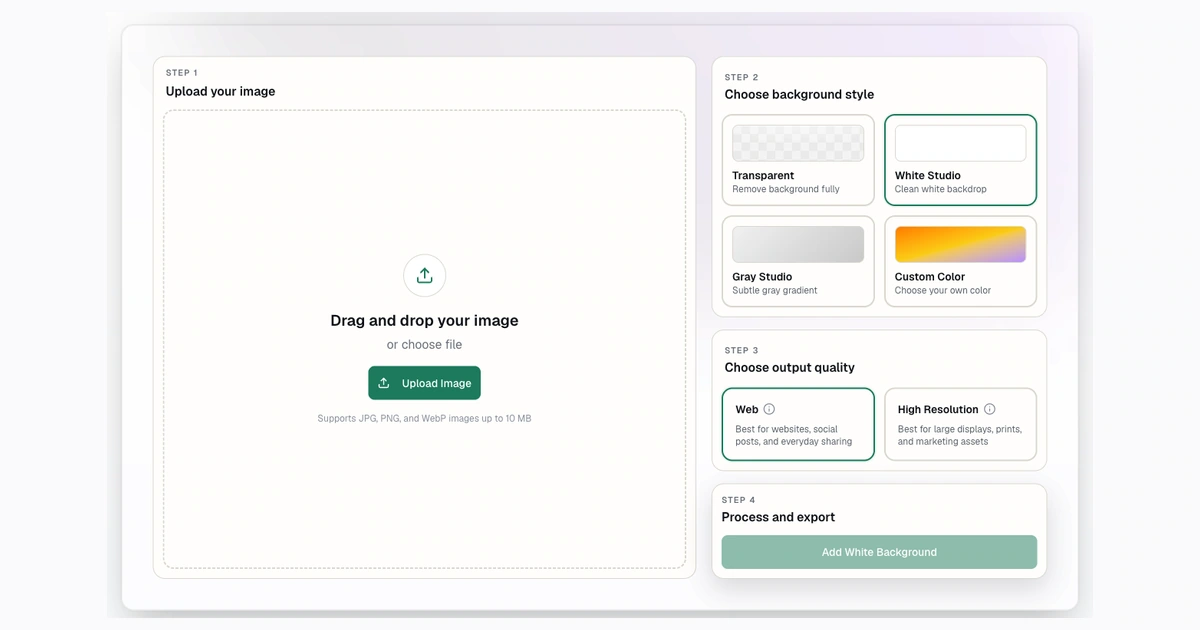
Step 2: Upload the Product Photo
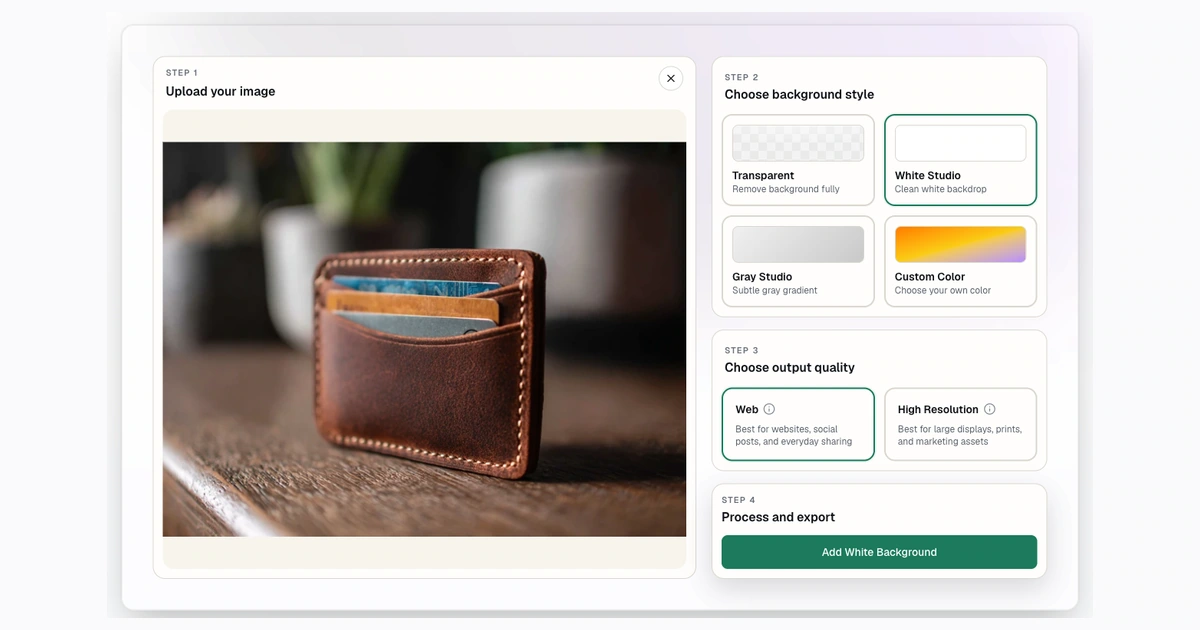
Step 3: Review the White Background Result
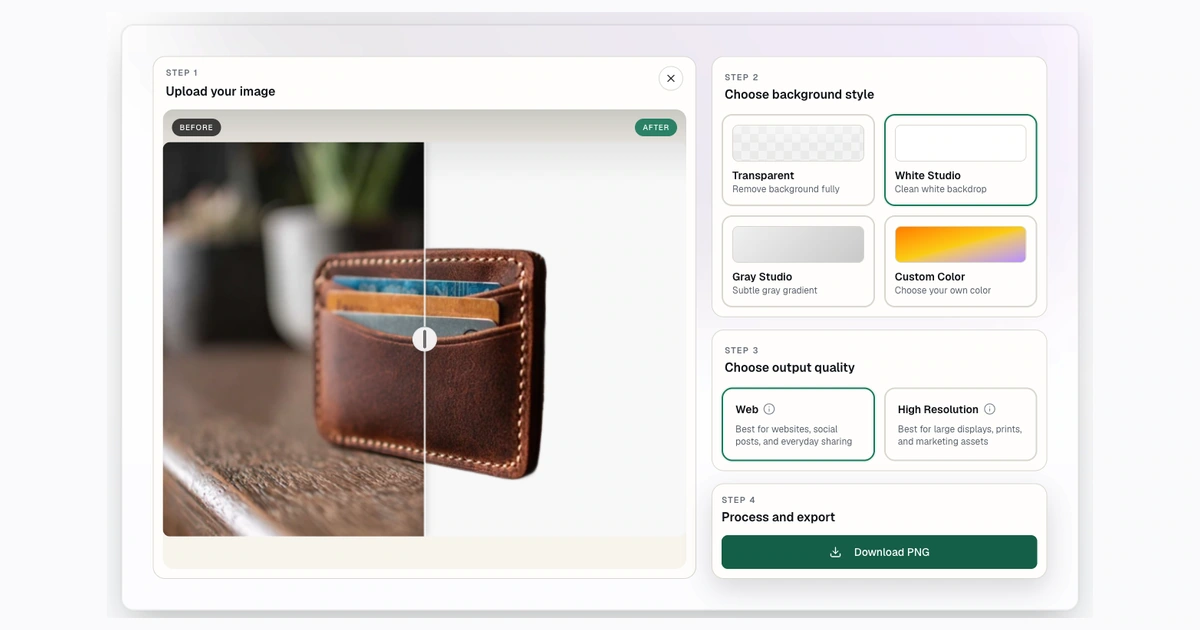
Use this workflow:
- Upload the product image to Background Remover.
- Remove the original background.
- Choose a white output.
- Check the edge around the product.
- Resize to the marketplace or store size.
- Upload and preview the final listing.
If the product is white, glass, or reflective, inspect the edges on both white and gray backgrounds before final export. If the subject disappears, retake the photo with better lighting or use a different approved image style for supporting images.
Product Photo QA Checklist Before Uploading
Before publishing, check:
- Halo: no gray, blue, or old-background outline around the product.
- Clipping: handles, straps, cords, legs, caps, and packaging edges are intact.
- Fill: the product is large enough in the frame but not cropped.
- Color: the white background is consistent across the catalog.
- Format: PNG for transparent images; solid-background outputs when the listing should not preserve transparency.
- Rules: marketplace-specific requirements are checked before upload.
- No clutter: avoid text, borders, promotional badges, and watermarks unless the channel allows them.
This checklist is especially important when processing images in batches. A small edge issue can repeat across dozens of listings.
Bulk Workflow for Catalog Photos
For a catalog, do not edit one image at a time unless you need manual corrections. Use a repeatable workflow:
- Sort source photos by lighting and product type.
- Remove obviously bad source images.
- Process a small test batch first.
- Choose white output only after checking a few examples.
- Process the rest in batches.
- Spot-check completed files before upload.
Paid Background Remover plans include bulk processing. Compare current limits on the pricing page, and use the bulk background removal workflow to plan batch size, QA, and exports.
Resize White Background Product Photos
After you create a clean white-background image, resize it for the final destination. The 1000x1000 image converter is a useful starting point for square product images. Use 2048x2048 when you need more detail and the destination supports larger images.
The goal is consistency. A product page feels more professional when products share the same canvas size, padding, and aspect ratio.
Common Mistakes That Cause Rejected or Weak Listings
Assuming white means compliant
A white background alone does not guarantee marketplace approval. The product may still be too small, too cropped, watermarked, overlaid with text, or outside category rules.
Leaving edge halos
Halos are common when the original background was colorful or high contrast. Check the product edge at full size.
Flattening transparent images too early
Keep a transparent PNG master if you plan to use the cutout in multiple designs. Flatten to white only for the listing version.
Using inconsistent padding
If one product fills 95 percent of the canvas and another fills 45 percent, the catalog looks uneven. Build a consistent resize process.
FAQ
Do all product photos need a white background?
No. White backgrounds are common for main listing images, but lifestyle images and contextual gallery images can be valuable too. Follow the rules of the channel where you sell.
Can I use transparent PNG product photos on Etsy?
Check Etsy's current guidance and preview the upload. Transparent PNGs can behave differently than sellers expect, so flattening to white is often safer for listing photos.
What is the best size for white background product photos?
How do I avoid halos on white backgrounds?
Use a sharp original photo, inspect the cutout on multiple backgrounds, and avoid publishing before checking edges at full size.
Can I process white background product photos in bulk?
Yes, paid plans include bulk processing. Process a small test batch first so you can catch repeat issues before running a full catalog.
Try Background Remover Today
Remove 250 backgrounds each month for $20.
Related Posts
Continue reading our latest insights
Comparison9 min read
Best Background Removers for Ecommerce in 2026
Compare ecommerce removers, led by Background Remover for focused listing preparation, clear commercial access, and repeatable modest-catalog seller tasks.
Read more
eCommerce6 min read
Bulk Background Removal Workflow for Product Photos
Process product photos in batches. Learn bulk background removal prep, output choices, QA checks, ZIP downloads, and plan-fit guidance.
Read more
eCommerce6 min read
How to Remove Backgrounds From Product Photos
Remove backgrounds from product photos for ecommerce. Choose transparent, white, or custom outputs, resize images, and prep catalog batches.
Read more