Quick Verdict: Sticker Mule Trace background remover is a free tool built specifically for sticker and merchandise creators—part of Sticker Mule's ecosystem that has processed 16 million orders since 2010. Trace offers up to 5 free images per day and seamless integration with Sticker Mule's die-cut printing workflow, while Background Remover delivers superior edge quality and batch processing for professional needs. Choose Sticker Mule Trace if you're creating stickers and want free background removal with direct ordering. Choose Background Remover if you want a free background remover to try for sharper transparent PNG cutouts, product photos, portraits, logos, and batch workflows beyond sticker creation.
Our Ratings
Metric
Trace by Sticker Mule
Background Remover
Overall
⭐ 3.8/5
⭐ 4.6/5
Edge Quality
⭐ 3.5/5
⭐ 4.5/5
Speed
⭐ 4.5/5
⭐ 4.5/5
Value
⭐ 5.0/5
⭐ 4.9/5
Ease of Use
⭐ 4.8/5
⭐ 4.8/5
Quick Comparison
Feature
Trace by Sticker Mule
Background Remover
Starting Price
Free
$5/mo
Free Tier
Yes
Yes
API Access
❌ No
❌ No
Mobile App
❌ No
❌ No
Technical Specifications
Specification
Trace by Sticker Mule
Background Remover
Max File Size
12MB
10MB
Input Formats
JPG, PNG
JPG, PNG, WEBP
Output Format
PNG (transparent)
PNG
No Account Needed
❌ No
✅ Yes
Hands-On Background Removal Test
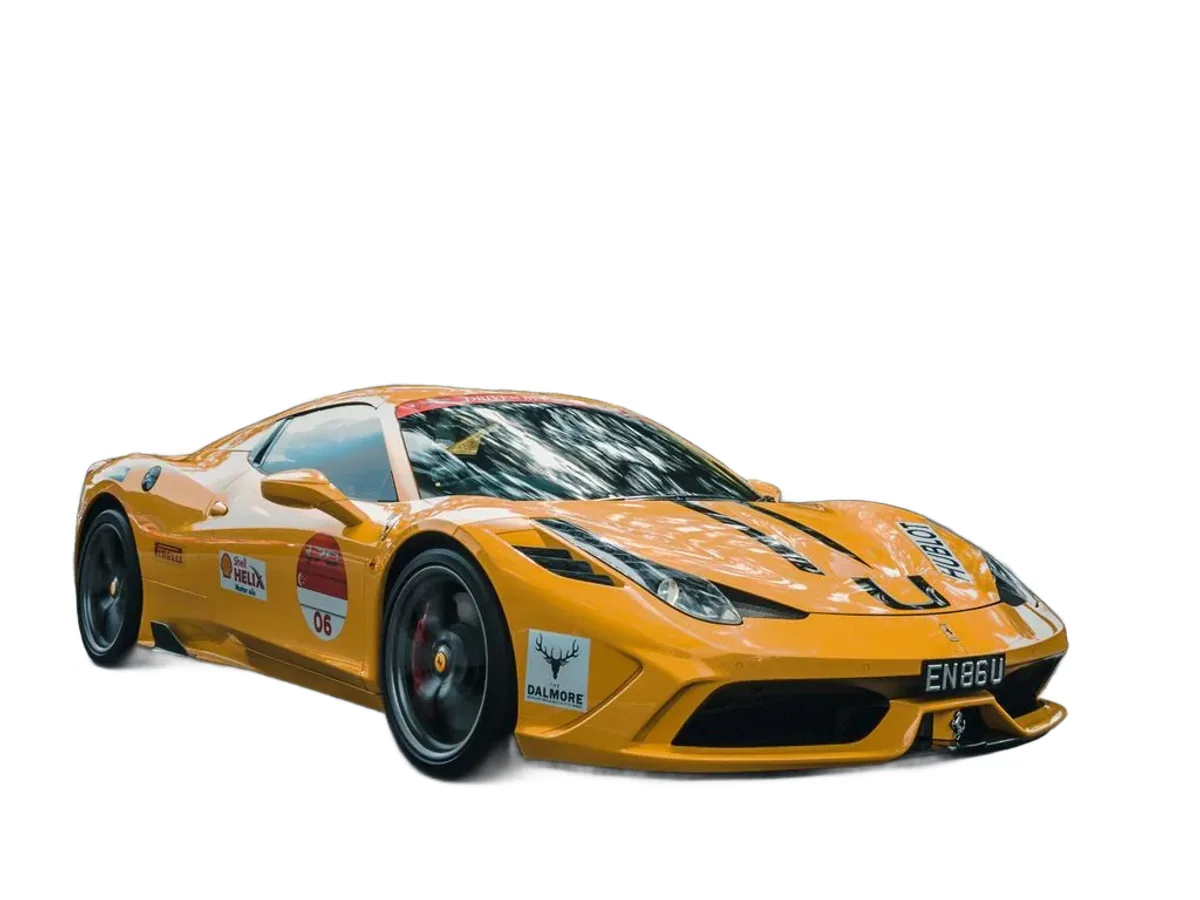
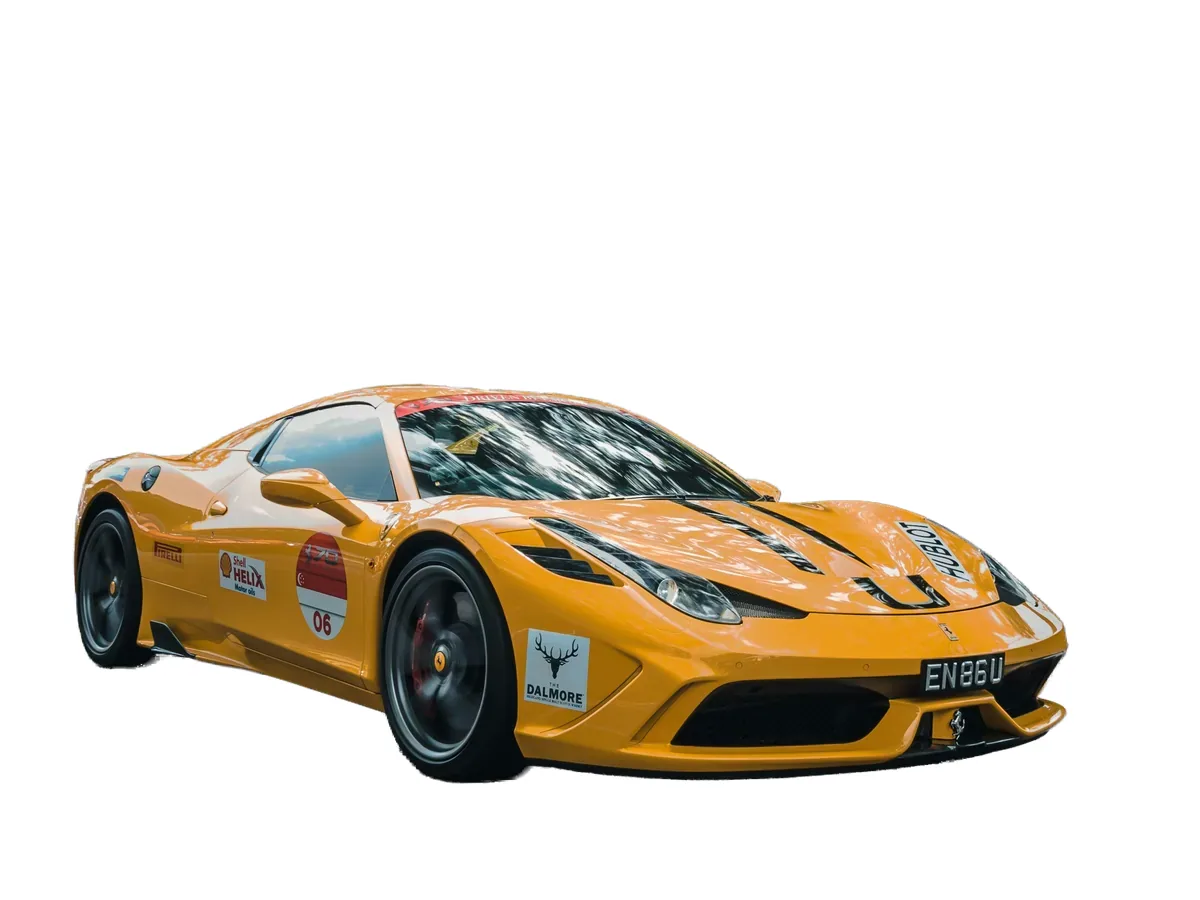
We tested Trace by Sticker Mule and BackgroundRemover.com using the same car image to compare the background removal results directly. We compared the finished cutouts for edge quality, leftover background, and whether each result was ready to use.
Original test image
BackgroundRemover.com result
Trace by Sticker Mule result
Trace by Sticker Mule was tested on a car image because stickers often need bold, clear object boundaries. This is a narrower test than a full portrait or hair benchmark.
What we looked for: clean subject separation, natural edges, preserved details, and whether any original background remained around the subject. BackgroundRemover.com returned a focused cutout that was ready to use without opening a larger design editor. Trace produced a usable car cutout that fits its sticker-oriented use case well.
Practical winner: BackgroundRemover.com is better for general-purpose product, catalog, and marketing cutouts outside the Sticker Mule ecosystem. Trace is excellent when the next step is Sticker Mule merchandise.
About Trace by Sticker Mule
Trace, often searched as Sticker Mule Trace or the Sticker Mule background remover, is a free background removal tool created by Sticker Mule, an industry-leading custom merchandise company founded in 2010 by Anthony Constantino. Sticker Mule operates from Amsterdam, NY and employs 1,000-5,000 people across 17 countries, with a focus on creating a fast and enjoyable ordering experience.
Company Credentials (Sticker Mule)
Founded: 2010 in New York
Total Orders Processed: 16 million+
User Sign-ups: 7.5 million+
Review Rating: 4.69/5 (357K+ reviews)
Customer Satisfaction: 92.83% would order again
Global Reach: Ships to 70+ countries in 16 languages
Most Popular Product: Die-cut stickers (6.1M+ orders)
Key Features
Free daily allowance: Up to 5 images/day, with no credit card, subscription, or hidden costs
Instant Processing: Remove backgrounds in seconds
Sticker Mule Ecosystem: Seamlessly order custom stickers, buttons, magnets, coasters, apparel, and 19+ product types
Trace is unbeatable on price: It's free for up to 5 images/day
The trade-off is quality: Trace delivers adequate results for stickers, but Background Remover provides superior edge detection for complex subjects (hair, fur, transparency)
Print-to-order economics: If you're creating stickers anyway, Trace → Sticker Mule workflow is seamless. Die-cut stickers start at $60 for 50 units.
Beyond stickers: If you need background removal for e-commerce, social media, or professional photography, Background Remover's paid tiers offer better quality
Choose Trace by Sticker Mule If:
✅ You're creating die-cut stickers, magnets, buttons, or custom merchandise and want a seamless design-to-print workflow: Trace → Sticker Mule integration means your background-removed image is one click away from a print order with free shipping and 4-day turnaround
✅ You need a free background removal tool for simple subjects like logos, illustrations, and bold graphics: Trace handles clean-edged artwork perfectly—ideal for brand assets, mascots, and graphic designs destined for physical products
✅ You're a small business, Etsy seller, or hobbyist testing sticker designs before committing to print orders: Remove backgrounds on a small daily set for free, preview how they'll look as die-cuts, and only pay when you're ready to print
✅ You want access to companion tools in the Sticker Mule ecosystem: Trace integrates with Upscale (enlarge images), Redraw (convert to vector), and Studio (design templates)—a complete free toolkit for merchandise creators
✅ Budget is your top priority and you're okay with adequate (not perfect) edge quality: For sticker-appropriate images with clear subjects and clean edges, Trace's free daily allowance is unbeatable on price
Choose Background Remover If:
✅ You need sharper transparent PNG cutouts for complex subjects like hair, fur, feathers, or semi-transparent fabrics:Background Remover excels at intricate details that Trace struggles with—essential for portraits, fashion, and professional photography
✅ You're processing product photos for e-commerce catalogs, Amazon listings, or Shopify stores: Batch upload 50-1,000+ images, process them all with consistent quality, and download in one operation—Trace has no batch processing
✅ Your background removal needs extend beyond sticker creation: Marketing campaigns, social media content, website graphics, and professional photo editing require higher quality than sticker-optimized output
✅ You want a focused tool without implicit product upsells: Background Remover is purely a background removal service—no gentle nudges toward ordering merchandise or creating Sticker Mule accounts
✅ You need WEBP format support or higher resolution outputs: Background Remover accepts more input formats and provides consistently high-resolution results for professional workflows
Pros & Cons
Trace by Sticker Mule
Pros:
Free for up to 5 images/day
No credit card required
Seamless Sticker Mule print integration
Part of a trusted company (16M+ orders, 357K reviews)
Fast processing (~3-5 seconds)
Companion tools (Upscale, Redraw, Studio)
Perfect for sticker and merchandise creators
Free worldwide shipping on products
Cons:
Average edge quality vs. professional tools
No batch processing
Requires account signup
Optimized for Sticker Mule products (subtle upsell)
Limited format support (no WEBP input)
No API access
Resolution limits not clearly specified
Background Remover
Pros:
Superior edge quality for complex images
Reliable batch processing
Clean, focused interface
No account required for demo
Fast processing (~5 seconds)
Predictable subscription pricing
WEBP format support
Cons:
Paid service ($5/mo-$100/mo)
No print integration
No mobile app
No API access
Desktop-focused workflow
FAQ
Is Trace by Sticker Mule really free?
Yes. Trace is free for up to 5 images/day. You need to create a free Sticker Mule account, but there's no credit card required and no hidden costs. Sticker Mule offers Trace as a value-add to encourage users to order printed products.
Is Sticker Mule Trace the same as Sticker Mule background remover?
Yes. Sticker Mule Trace is the Sticker Mule background remover for turning artwork, logos, and product images into transparent files before ordering stickers or other printed merchandise.
Do I have to order stickers after using Trace?
No, you can download your background-removed images without ordering anything. Trace is a standalone tool—the Sticker Mule integration is optional.
What's the difference between die-cut and kiss-cut stickers?
Die-cut stickers are cut precisely around your design's contour—you peel off the entire sticker with no excess backing. Kiss-cut stickers are cut through the vinyl but not the backing paper, leaving a margin around the design that makes them easier to peel. Both work great with Trace output.
How does Trace compare for intricate hair details?
Trace delivers acceptable results for sticker-appropriate images (logos, simple subjects, bold designs), but struggles with intricate details like hair, fur, or semi-transparent elements. For professional portrait work or complex subjects, Background Remover provides noticeably better edge quality.
What's Sticker Mule's turnaround time?
Sticker Mule offers 4-day turnaround with free shipping on most orders. They're known for fast delivery and free proofs before printing.